 CopyCoder Blog

Building Your Own 3D World in React Applications :Simplified with Three.js Engine.
Creating a 3D world in React applications can be a daunting task, especially for beginners. There are numerous instructions and resources available on the internet, but none of them are easily digestible. In this article, we aim to simplify the process of using the three.js engine in React applications.
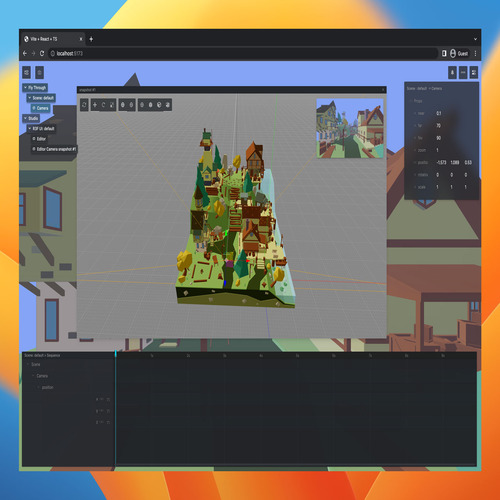
To begin with, it’s important to understand that our goal is to create a 3-dimensional world that can contain anything from a city to a humanoid model and interact with that world through our React applications. Similar to web apps needing a Node engine, we also need a game engine software/WebGL engine for a 3-dimensional world, and in this case, we will be using the three.js engine.
The first step is to import the react-three/fiber model into your React applications. Then use React-three/fiber to render a React 3D component. Under the hood, the three.js engine will run and create a 3D world according to your react-three/fiber script.
npm install three @types/three @react-three/fiberinstalling...Done!
//This Is Inside Your React Component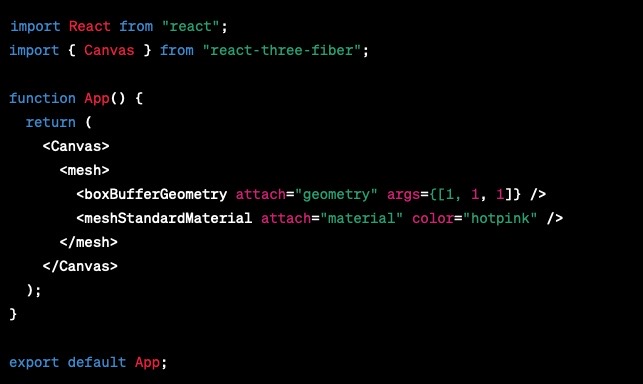
    //Next On Your Terminal we need to install react-three drei,
    //in order to turn on the lighting of your world and adjust camera angles
    //like normal world without light we won't able to see nothings
npm install three @types/three @react-three/fiberinstalling...Done!
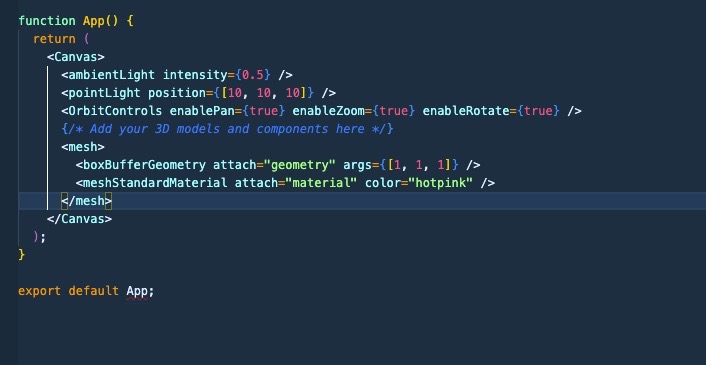
  //mesh Component is just an example of a 3d box
  //Now you should able to see a 3d Box in your project,
  //With light and free Orbit Control, you can spin the object around freely
The procedure has already been demonstrated on the Library Doc, so I won’t get into details, but there are numerous methods. Please choose carefully and copy accordingly.
Loading GLTF models as JSX ComponentsI personally recommend sticking with loading GLTF models as JSX components. Again, please follow the resource link procedure precisely.
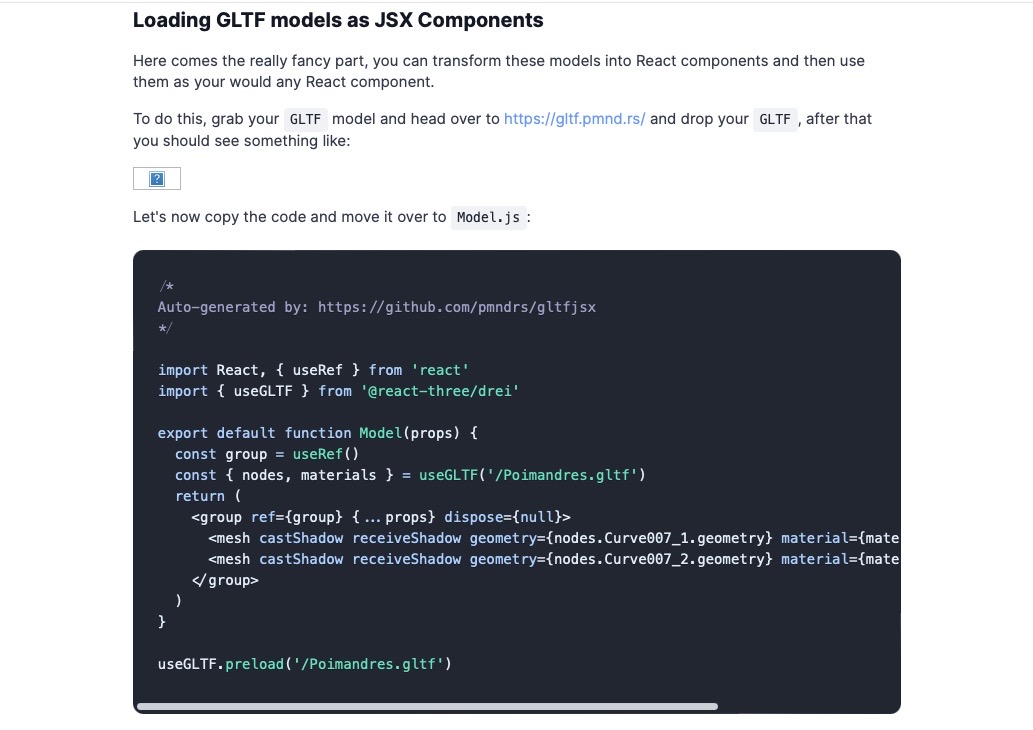
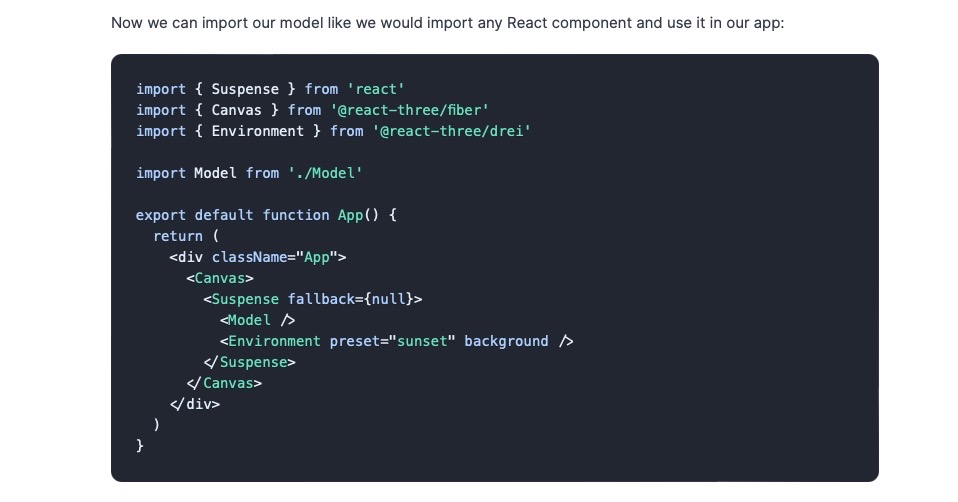
It’s important to remember not to get too overwhelmed. Different file types of 3D models like gltf, glb, Obj, etc., have different file structures and will require different ways of importing them. So make sure to read the resources carefully and copy accordingly.
After importing your 3D model, you can add controlling, animations, and interactions with your 3D world through your React applications. This can take some time and effort, but the results are worth it.
Basic AnimationsThe procedures have already been very well documented on their resource documentation. Please choose carefully and copy accordingly.
  //Attention! To animate certain humanoid model actions, such as the one downloaded from Sketchfab.The model needs to be rigged.
  //This involves adding bones and creating animations before exporting it as an embedded glb file
  //Which can then be imported back into React as a JSX component. More details on this process will be covered in the next blog.
In conclusion, using the three.js engine in React applications to create a 3D world may seem daunting, but with some research and practice, it can be achieved. Remember to take it step-by-step, read resources carefully, and don’t be afraid to experiment. Happy coding!
Below is my Ironman Chatbot !